

Facebook Instagram X Youtube
Sign in
  • Technology
    • Apps
    • Computer & Laptop
    • Electronics
    • Gadgets
    • News
    • VR (Virtual Reality)
  • SEO
    • Blogging
  • Social Media
  • Web Design
  • Digital Marketing
  • About Us
  • Say Hello
Sign in
Welcome!Log into your account
Forgot your password?
Privacy Policy
Password recovery
Recover your password
Search
FUTURE WITH TECH
FUTURE WITH TECH
Trending Now

Tech Kracker Guide

Advanced SPF Checker Tips: Handle Includes, Redirects, and Too Many DNS Lookups

The Top Web Design Trends to Watch Out for in 2024

What Is the Giving Pledge? Inside Yuri Milner’s Philanthropic Commitment

DMARC Report Explained: What Administrators Need To Know

LogoFUTURE WITH TECH
Facebook
Instagram
Linkedin
Pinterest
X
  • Technology
    • AllAppsComputer & LaptopElectronicsGadgetsNewsVR (Virtual Reality)
      Artificial Intelligence (AI)

      Tech Kracker Guide

      News

      Advanced SPF Checker Tips: Handle Includes, Redirects, and Too Many DNS Lookups

      Technology

      Unveiling the Power of Amazon’s GPT55X: Revolutionizing AI Technology

      Gadgets

      Unlocking the Full Potential of Wireless CarPlay Adapter: Your Ultimate Guide

      Computer & Laptop

      Review of Google Pixelbook 12in: All Features & Specifications

  • SEO
    • AllBlogging
      Artificial Intelligence (AI)

      Tech Kracker Guide

      SEO

      Effective and Successful PPC Campaigns with a Leading PPC Consultant Agency in London

      SEO

      Content Curation: Strategies for Success

      SEO

      Outrank Your Competitors: Utilize the Skills of a WordPress SEO Expert

      Blogging

      Top 50+ Guest Posting Sites List [Updated 2023]

  • Social Media
    • Social Media

      Cómo abrir WhatsApp Web en el celular

      Social Media

      The Instagram Growth Secret: Leverage Free Views to Maximize Your Reach

      Social Media

      Email Marketing Trends 2023: Delivering When It Matters

      Social Media

      How to Make Your YouTube Channel Grow: Helpful Tips to Grow Fast

      Social Media

      How We Can Use ChatGPT On WhatsApp?

  • Web Design
    • Web Design

      The Top Web Design Trends to Watch Out for in 2024

      Web Design

      A Comprehensive Guide to Running A Business With BigCommerce

      Development

      What Are Product Design Trends In 2023?

      Web Design

      How To Build Reputation For An Online Store In 5 Steps?

      Web Design

      What To Do If You Have An Unresponsive Website

  • Digital Marketing
  • About Us
  • Say Hello
Logo
  • Technology
    • AllAppsComputer & LaptopElectronicsGadgetsNewsVR (Virtual Reality)
      Artificial Intelligence (AI)

      Tech Kracker Guide

      News

      Advanced SPF Checker Tips: Handle Includes, Redirects, and Too Many DNS Lookups

      Technology

      Unveiling the Power of Amazon’s GPT55X: Revolutionizing AI Technology

      Gadgets

      Unlocking the Full Potential of Wireless CarPlay Adapter: Your Ultimate Guide

      Computer & Laptop

      Review of Google Pixelbook 12in: All Features & Specifications

  • SEO
    • AllBlogging
      Artificial Intelligence (AI)

      Tech Kracker Guide

      SEO

      Effective and Successful PPC Campaigns with a Leading PPC Consultant Agency in London

      SEO

      Content Curation: Strategies for Success

      SEO

      Outrank Your Competitors: Utilize the Skills of a WordPress SEO Expert

      Blogging

      Top 50+ Guest Posting Sites List [Updated 2023]

  • Social Media
    • Social Media

      Cómo abrir WhatsApp Web en el celular

      Social Media

      The Instagram Growth Secret: Leverage Free Views to Maximize Your Reach

      Social Media

      Email Marketing Trends 2023: Delivering When It Matters

      Social Media

      How to Make Your YouTube Channel Grow: Helpful Tips to Grow Fast

      Social Media

      How We Can Use ChatGPT On WhatsApp?

  • Web Design
    • Web Design

      The Top Web Design Trends to Watch Out for in 2024

      Web Design

      A Comprehensive Guide to Running A Business With BigCommerce

      Development

      What Are Product Design Trends In 2023?

      Web Design

      How To Build Reputation For An Online Store In 5 Steps?

      Web Design

      What To Do If You Have An Unresponsive Website

  • Digital Marketing
  • About Us
  • Say Hello
Home Social Media The Keys To A Succesful Instagram Video
  • Social Media

The Keys To A Succesful Instagram Video

By
Future With Tech
-
March 2, 2022
0
738
Facebook
X
Pinterest
WhatsApp
    likes for instagram
    Credit: newsfeed.org

    On Instagram, video material is provided in four formats: Reels, Live, Stories, and Instagram Video.

    There’s a lot to squabble with the platform’s video demands, but it’s also offered marketers a new edge to tell stories and target new audiences.

    However, do you know which Instagram video format should you use for your business?

    All of these might have a role in your social media strategy.

    Perhaps you’ll opt to concentrate on only a few. But, you must learn about the characteristics, standards, and recommended practices to get likes for instagram for each kind, which is why we are here.

    Instagram Reels

    Reels are video snapshots for 15 seconds and they are made even more amazing with artificial effects, sounds, background images, etc.

    You can choose the timer and select the timeframe for how long you want the reel to play.

    Speed up or slow down the video’s speed and that will help you make slow-motion videos or stay on the beat.

    Instagram Stories

    Instagram Stories are 15-second films that expire after 24 hours, inspired by Snapchat.

    Stories may be recorded by swiping right from the home screen or selecting Stories from the plus icon. They can also be retrieved from the Photo Library and posted.

    Expired Stories can be preserved to a person’s profile’s Highlights section, which is located above the grid.

    Instagram Live

    Instagram Live allows users to stream video from their phone’s built-in camera.

    With the trend of ‘work from home’ in the pandemic, Instagram Live has been a mode to organize workshops, conduct interviews, and converse with pals.

    Swiping right or pressing the plus icon and switching to Live will start a live broadcast.

    When an account goes live, a Live icon appears at the top of the Stories bar. Instagram Live videos can be shared for 30 days after they’ve been completed before they’re erased.

    Instagram Video

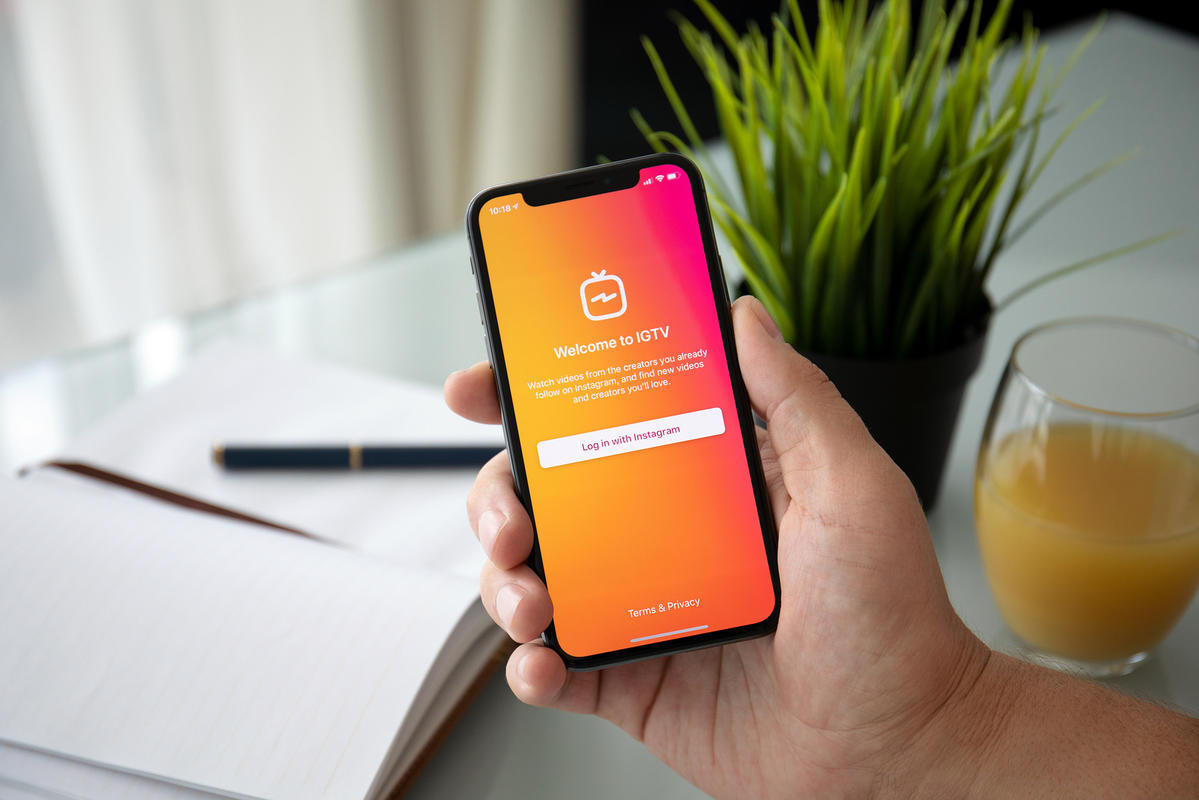
    Instagram Video is a format that was first created in the year 2021. It took the place of IGTV and integrated it with video posts in the feed.

    Instagram video postings are created in the same way that photographs are: with the built-in camera or by uploading from a Photo Library.

    These videos might be as long as 60 minutes. An Instagram video post can include a caption, filter, location, and user and location tags. In addition, people can engage with likes, comments, and share public videos in Stories and DMs after they’ve been posted.

    For larger videos, users can make 60-second previews.

    How To Create A Succesful Instagram Video?

    We have already discussed the types of Instagram videos. Once you select a type, follow these steps to create a successful IG video:

    1: Create For Mobile 

    Since people watch Instagram videos on their phones, it’s preferable to film vertically.

    Most individuals utilize portrait or selfie mode by default When recording with their phones.

    This is something to keep in mind for individuals who want to utilize a camera and submit a video.

    2: Hook Them From The Beginning

    You have three seconds to stop thumbs from scrolling past your Instagram video as a general rule.

    Give viewers a reason to stick around.

    Find a means to deliver quick appeal, whether it’s through captivating images or a teaser of what’s to come.

    3: Provide Value

    You must provide some form of value to hold a viewer’s interest.

    Your proposal could be based on pure entertainment value, such as humorous relief, engaging dialogue, or your charismatic personality.

    You might also share advice, how-tos, and workshops, as well as thought-provoking content.

    4: Use Captions & Sounds

    According to Instagram, 60% of users view Stories with the sound turned on. However, it’s common knowledge that viewers may watch your movie with the sound turned off for a variety of reasons, including context and hearing difficulties.

    Make your video more engaging by adding sound, and make it more accessible by including captions.

    Instagram Stories and Reels can be manually updated with timed text.

    5: Be Consistent On Your Posting Schedule

    Regular posting is the most effective strategy to grow an audience. This is especially true for long-form content like Instagram Video and Live.

    Make a timetable for your audience and share it with them so they know when to expect your next Instagram Live. Alternatively, create a video series that your audience will look forward to and watch regularly.

    To ensure that your posts are published on time, use scheduling solutions like Hootsuite.

    Go Live On The Gram!!!

    If you have decided upon which video format to choose, you are already one step ahead in the game.

    Now, all you have to do is follow these steps and share the video on IG.

    You’ll know the difference in a few seconds, and that will make your day!!!

    • TAGS
    • Instagram
    • instagram like
    • instagram likes
    • Instagram Video
    • likes for instagram
    Facebook
    X
    Pinterest
    WhatsApp
      Previous articleHIPAA Training: 4 Things You Should Know About It
      Next articleHow Phone Number Verification Avoids Data Vulnerabilities For Your Business
      Future With Tech
      Future With Tech
      https://futurewithtech.com/
      Latest Technology news related to Mobile, Tablets, Laptops, and Internet with expert analysis from Future With Tech. Future With Tech is a top best startup and latest technology blog in India.
      Facebook Instagram Linkedin Myspace Pinterest Soundcloud Tumblr X
      Sign in
      Welcome! Log into your account
      Forgot your password? Get help
      Privacy Policy
      Password recovery
      Recover your password
      A password will be e-mailed to you.

      LEAVE A REPLY Cancel reply

      Log in to leave a comment

      • Tech Kracker Guide
        Tech Kracker Guide
      • SPF Checker Tips
        Advanced SPF Checker Tips: Handle Includes, Redirects, and Too Many DNS Lookups
      • Top Web Design Trends
        The Top Web Design Trends to Watch Out for in 2024
      • Yuri Milner
        What Is the Giving Pledge? Inside Yuri Milner’s Philanthropic Commitment
      • DMARC report solution
        DMARC Report Explained: What Administrators Need To Know
      • Technology311
      • Business News250
      • News163
      • Games158
      • Software110
      • Career99
      LogoCOV-19 Italy ReportLocal Informations
      Facebook
      Instagram
      Linkedin
      Pinterest
      X

      Editor Choice

      Android App Development – How Developers Assure Security?

      Android & iOS April 3, 2023

      iOS 16.2: All New Updates That You Need To Know

      Android & iOS December 15, 2022

      All-In-One Video Converter, iSkysoft iMedia Converter Deluxe Review

      Android & iOS March 11, 2022

      Latest News

      Advanced SPF Checker Tips: Handle Includes, Redirects, and Too Many DNS Lookups

      News March 26, 2026

      The Top Web Design Trends to Watch Out for in 2024

      Web Design March 24, 2026

      What Is the Giving Pledge? Inside Yuri Milner’s Philanthropic Commitment

      General February 20, 2026

      Topics

      • Technology311
      • Business News250
      • News163
      • Games158
      • Software110
      • Career99
      • SEO96
      • Social Media92

      © 2021 Future with Tech